
Host pools & session hosts
All host pools, application groups, workspaces and scaling plans of the subscription are discovered automatically. Start, restart, stop, drain or resize hosts – also as a bulk action.
AVD Hero brings host pools, session hosts, user sessions, scripts, FSLogix profiles, images and insights together in one fast web app – installed in your own Azure subscription, without a backend of its own.
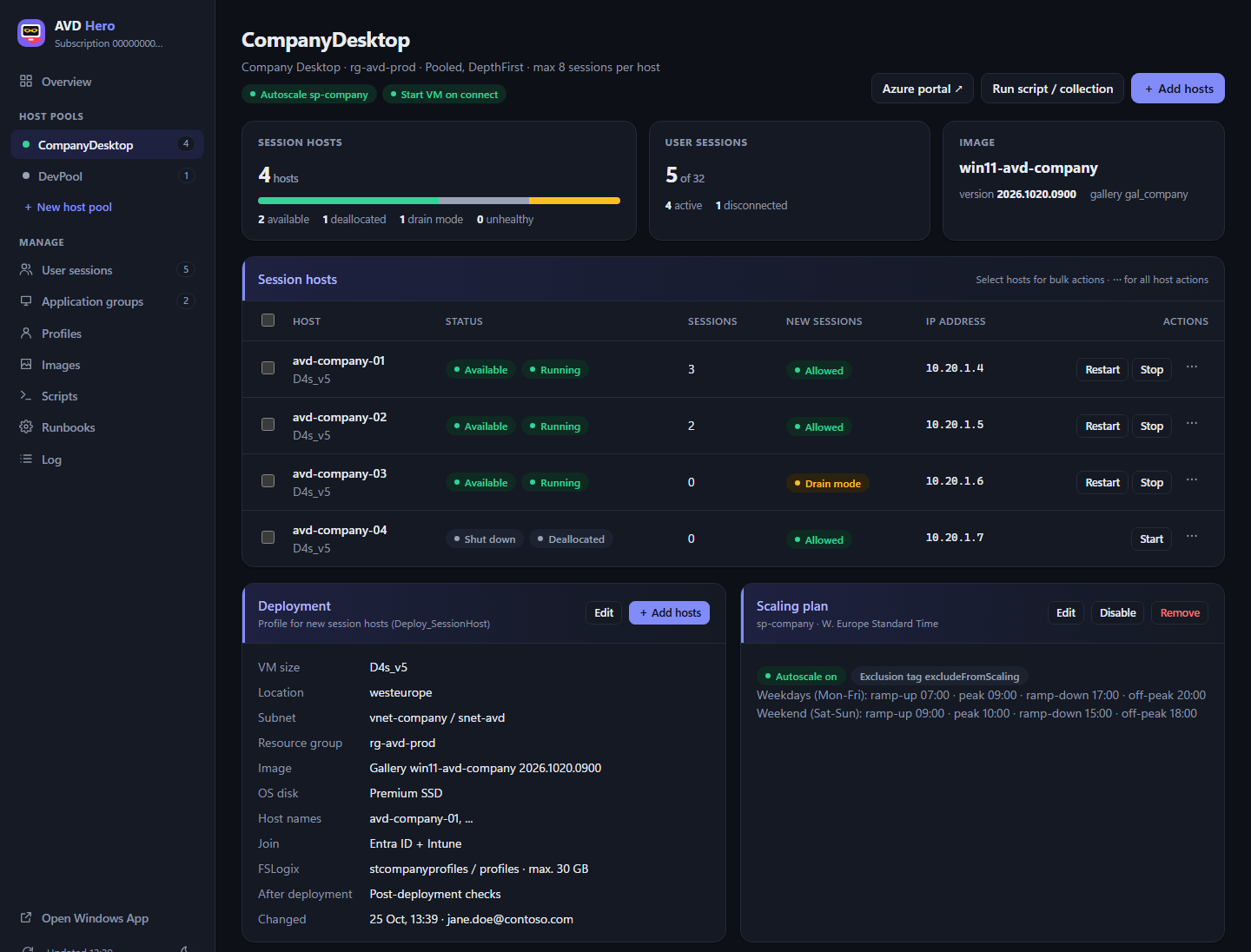
Instead of jumping between portal blades, PowerShell and script folders, you do the typical tasks in one interface – for a single host or many at once.
All host pools, application groups, workspaces and scaling plans of the subscription are discovered automatically. Start, restart, stop, drain or resize hosts – also as a bulk action.
Create new host pools (pooled or personal, Entra ID or AD join) with desktop and RemoteApp groups. One deployment profile per pool – then new hosts with one click, optionally with a different VM size or image.
Maintain scripts and script collections (ordered steps including VM actions) in one place and run them on single hosts or whole host pools. Includes VDI optimization with a dry run.
Search and filter sessions across all host pools, send messages and sign users out – also several at once.
Profile sizes and usage at a glance. Shrink profiles, keep them as a backup or delete them selectively.
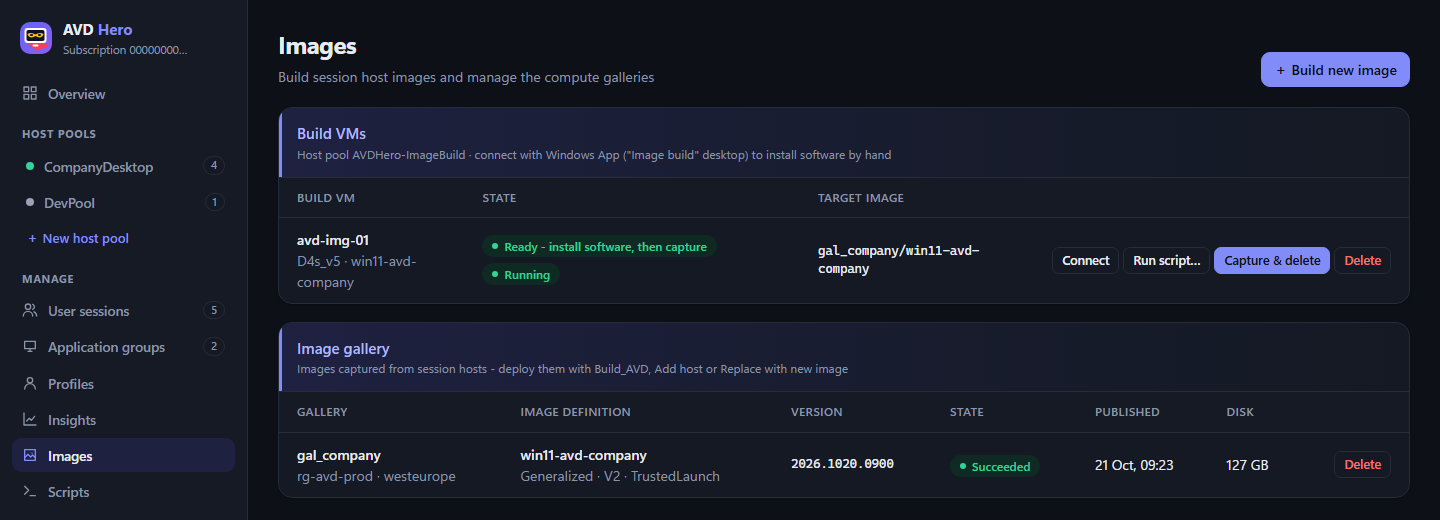
Create a build VM from a marketplace or gallery image, apply a script collection, optionally install software by hand and capture it as a new version in the compute gallery – or create an image from any existing Windows VM.
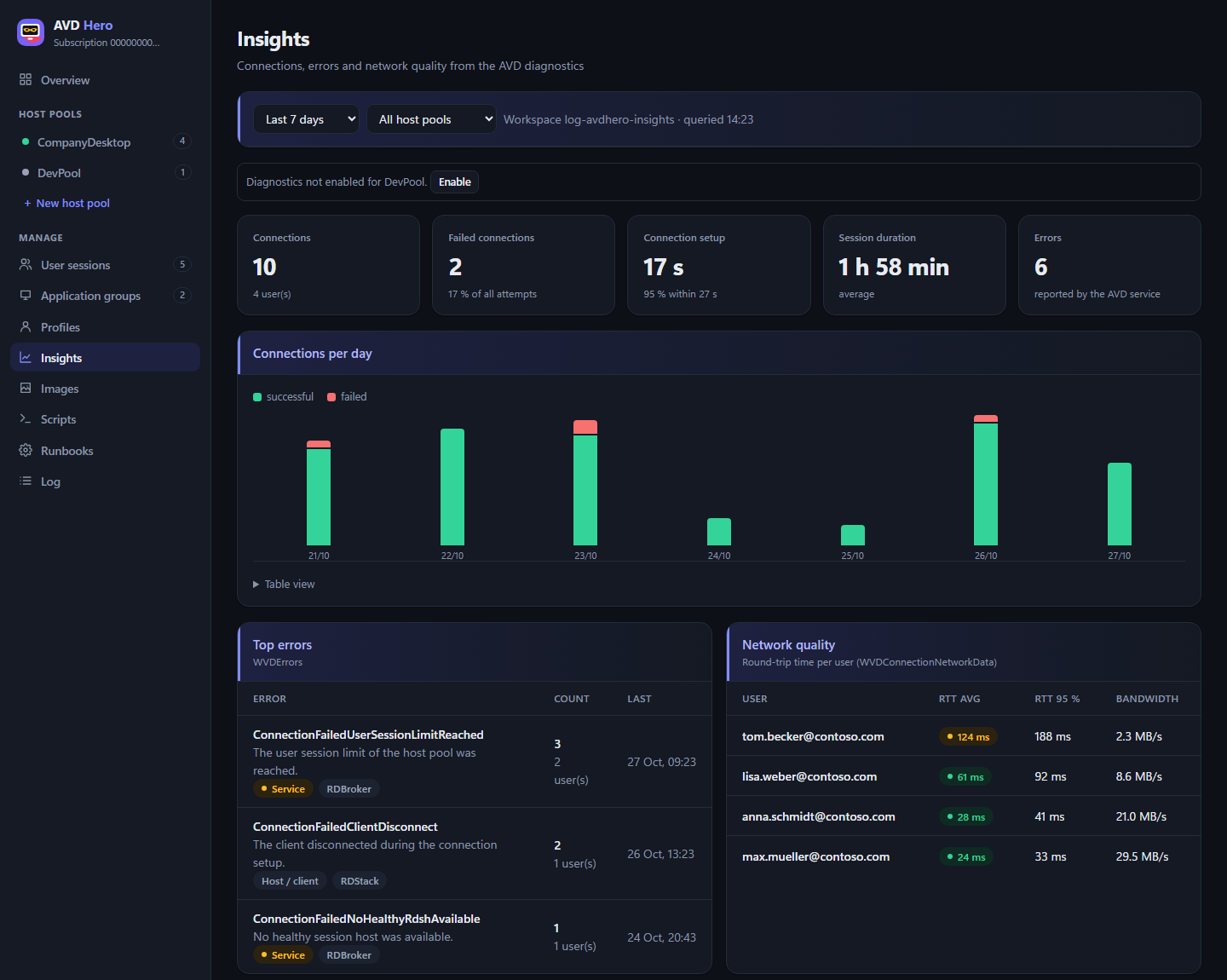
Connections, failed attempts, sign-in time, session duration, top errors and network latency from the AVD diagnostics – without an agent on the hosts.
Create, edit and assign scaling plans. Publish RemoteApps from the start menu of the hosts or by path and manage assignments.
Every action is logged: who did what, when, and with which result – in the web app and in the runbooks.
Dark and light design, works on a smartphone too. The screenshots come from the demo with sample data.
Status of all session hosts, sessions, image version, deployment profile and scaling plan on one page.
A Log Analytics workspace with a daily cap is set up with one click. Then you see how your users are doing.
From the base image through scripts and manual installations to a new version in the compute gallery – the build VM is removed automatically afterwards.
AVD Hero is a static web app without a backend of its own. Every action runs with the Azure permissions of the signed-in user. Your data does not leave your tenant.
Run a PowerShell script in Azure Cloud Shell – or create the resources with “Deploy to Azure” and do the rest by script.
The installer creates the Static Web App, Cosmos DB, Automation account, app registration and admin group and assigns the required roles.
Sign in with your Entra ID account. Host pools are discovered automatically – ready to use right away.
Requirement: a user who is Global Administrator (app registration) and Owner of the subscription. Optional: Linux hybrid workers in your network – but everything works without them as well.
Installer, source code and guide: github.com/DerSucker/avdhero
AVD Hero relies on free or very low-cost Azure tiers. The costs of your AVD environment itself (VMs, storage) remain, of course.
| Resource | Purpose | Tier |
|---|---|---|
| Static Web App | the web app | Free |
| Cosmos DB | script library, deployment profiles, audit log | Free tier or serverless |
| Automation account | runbooks for scripts, FSLogix, deployments | Basic, 500 minutes/month free |
| Log Analytics (optional) | Insights | with a daily cap |
| App registration & group | sign-in, write access | free |
No guarantee – the current Azure prices for your region apply.
No. The web app runs in the browser and talks directly to the Azure APIs. Longer-running tasks are handled by runbooks in the Automation account of your subscription.
Exactly the Azure permissions (RBAC) they have anyway. AVD Hero does not grant users any additional rights – whoever may only read can only read.
Nowhere outside your tenant. Library, profiles and audit log are stored in your Cosmos DB, and there is no telemetry to third parties.
No. The demo works with sample data and simulates every action – nothing is deployed or changed in Azure.
Yes. New session hosts can be deployed with an Entra ID join (optionally with Intune) or an Active Directory domain join.
Write to me via the contact form – I will get back to you. You can also report bugs and wishes for AVD Hero directly on GitHub.
Click through the demo with sample data. And if you like AVD Hero, I appreciate a small donation.